Why Using Flux 2 With Wan AI Video Generator Makes Videos Look Better
By None None
Published: February 24, 2026
12 min read
Category: AI Tools & Models
I write and test AI video workflows every week, and one pattern never changes. If your static images are unreliable, your video will be too. Text-to-video (T2V) is great for fast ideation, but when you need professional results, you cannot afford to let the video model invent visual decisions on the fly.
That’s why it’s always better to start with a master image and then animate it with reliable tools like Wan AI Video Generator. Image-to-video generation, or I2V, is a discipline, rather than a trick. It helps you get:
- Superior fidelity: The video inherits exact lighting, composition, and texture from the static frame.
- Total control: You perfect aesthetics before spending expensive video credits.
- Consistency: Characters and environments remain stable because the video model follows a concrete visual anchor.
This is a solid plan, but where creators struggle is choosing the right models and platforms to manage this complex chain. In this article, we’ll explore how combining Flux 2 and Wan can provide a strong balance between professional quality and cost efficiency.
Why Multi-Model Workflows Beat Single-Model Approaches
Single-model thinking seems more convenient, but in practice, it results in visual drift and credit waste. Text-to-video (T2V) models try to do everything at once, and they often hallucinate character details, lighting, or texture across frames. You end up re-running clips until you get lucky.
The smarter path is to use an image model that respects structure and lighting, then hand that image to a video generation model that focuses only on motion. This separation of responsibilities is how you get repeatable and brand-safe results at scale.
What is Flux Image Generator, and Why is Flux 2 a Game-Changer?
Flux is developed by Black Forest Labs, the original creators of Stable Diffusion. It emerged on the scene in 2024 and quickly became the favorite for its incredible prompt adherence and photorealism. However, the release of Flux 2 has pushed these boundaries even further.
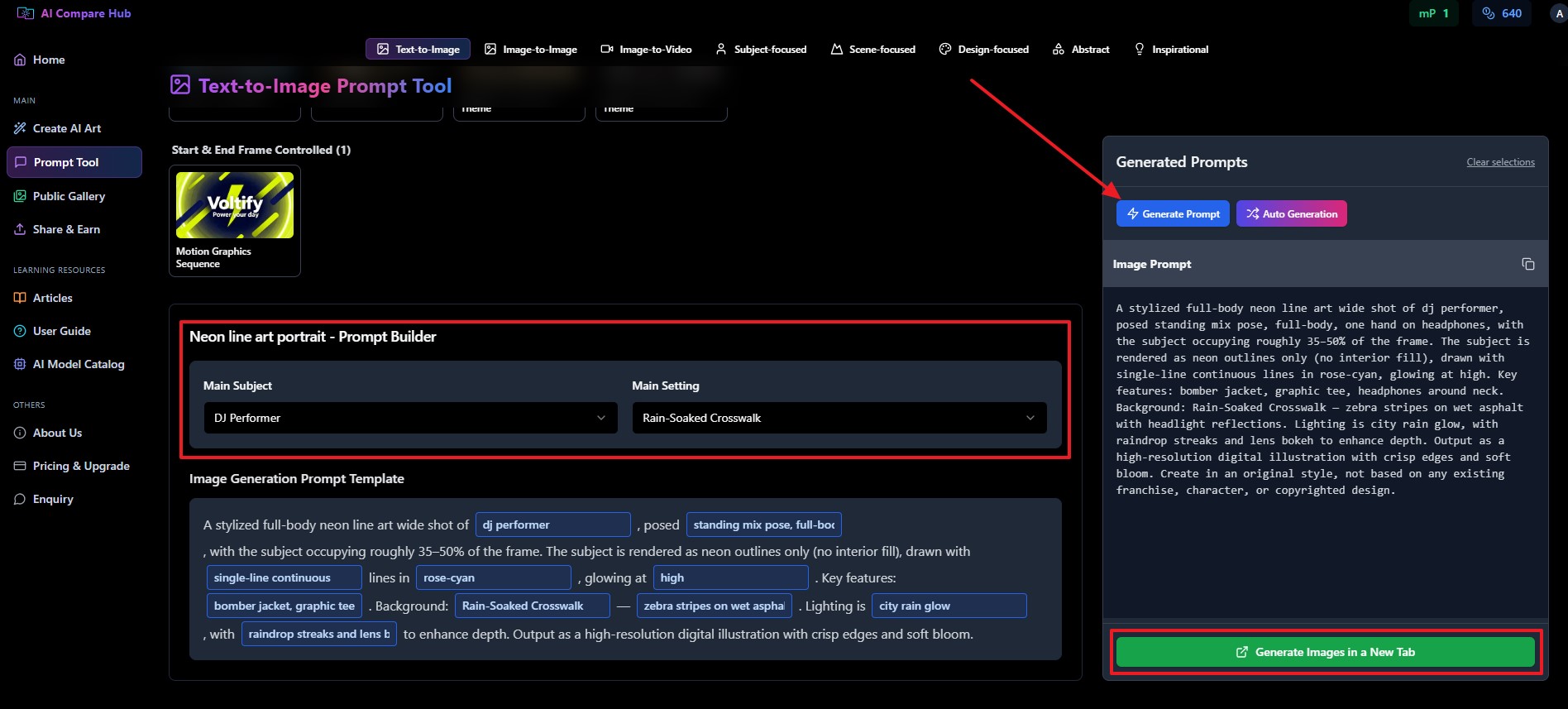
You can check the final generation through the following link to see what this new image generation model produced:
Ending Remarks
As you can see, the multi-model approach, including Flux 2 and Wan, helps with professional AI video generation at a cheaper cost and with more accuracy. However, the accuracy improves, and the costs are cut further by using AI Compare Hub, which allows accessing multiple AI image and video generation models in one place.
Ready to Refine Your Video Content? Access Flux 2, Wan 2.6 series, and the World's Best AI Models in One Workspace.
Frequently Asked Questions
What is Wan AI Video Generator best used for?
Wan AI Video Generator is best used for image to video generation where you need stable motion and consistent character appearance. It performs most reliably when animating a structured master image instead of relying only on text-to-video prompts.
Why combine Flux 2 with Wan for an AI video generation workflow?
Flux 2 creates controlled and photorealistic master images that reduce visual drift during animation. When those images are passed into Wan image to video models, the output becomes more stable, efficient, and production-ready.
Is Wan image to video better than text-to-video generation?
For professional projects, Wan image to video is generally more predictable because it anchors motion to a fixed visual reference. This reduces hallucinated details, lighting inconsistencies, and character instability across frames.
Which Flux 2 model should be used before sending an image to Wan?
Flux 2 Dev is ideal for rapid ideation, while Flux 2 Pro or Max should be used to create the final master image for animation. Higher fidelity images improve motion preservation and reduce re-renders inside the Wan AI Video Generator.
How does this workflow reduce AI video generation costs?
Refining the image first in Flux image-to-image models minimizes failed video generations and repeated credit usage. A structured AI video generation workflow improves first-pass success rates and protects your overall budget.