AI Videos Creation Guide
By None None
Published: December 9, 2025
20 min read
Tags: AI Video Generation, Text-to-Video, Image-to-Video, Video-to-Video, Extend Video, Merge Video, Text-to-Audio, Audio-Video, AI Compare Hub, Tutorial
Category: User Guide
This comprehensive guide covers video and audio generation types available in AI Compare Hub. Learn how to create videos from text, transform images into videos, edit existing videos, and combine audio with video content.
Comprehensive Video Creation Suite
AI Compare Hub offers a complete video workflow with 7 powerful creation modes in one platform. From text-to-video, image animation, video editing, audio integration, and more—everything you need for AI video creation. Access multiple AI video models from leading providers without switching platforms or managing separate subscriptions.
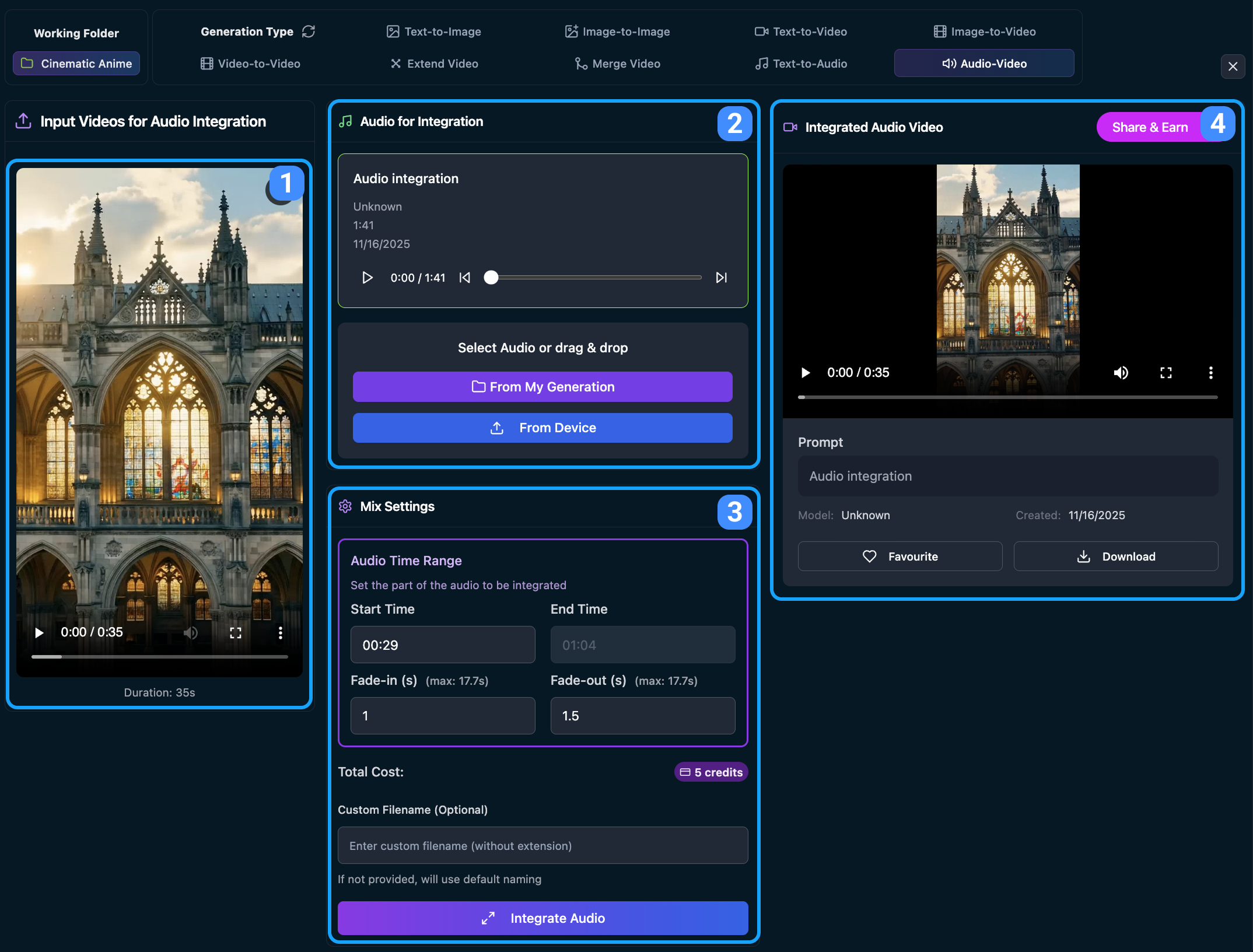
The video player displays:
- The integrated video with audio and standard playback controls (play/pause, timeline, volume, fullscreen)
- Video details including prompt used, model information, and creation date (e.g., "Created: 11/16/2025")
You can:
- Download the integrated video for your personal use
- Favourite your favorite results to save them for future reference
- Share & Earn by clicking the "Share & Earn" button to publish your results in the public gallery. Shared videos earn mP points, which convert into credits at the end of each month
Your past generations are saved in the Generation History section. You can click any past entry to reload the video, audio, and settings, then regenerate or modify them as needed. When you're working inside a specific Working Folder, the Generation History automatically filters to show only the videos generated in that folder — making it easier to track project-specific progress.
Continue to the next guide Prompt Tools Guide to learn advanced prompt crafting techniques.
Frequently Asked Questions
What video and audio generation modes are available in AI Compare Hub?
AI Compare Hub supports 7 creation modes in one workflow: Text-to-Video, Image-to-Video, Video-to-Video, Extend Video, Merge Video, Text-to-Audio, and Audio-Video for integrating sound with video.
How do I start generating videos in AI Compare Hub?
Go to the Create AI Art page, select a Working Folder to organize outputs, then choose a video generation type from the tabs (or the dropdown on mobile). Once both are set, the generation interface appears.
What is Text-to-Video and how does it work?
Text-to-Video creates a video from a written prompt. You choose a model, write a prompt (or use the Quick Prompt Tool), set parameters like aspect ratio, resolution, FPS, and duration, then generate and preview the result in the output player.
How do I make an image move using Image-to-Video?
Upload a Starting Frame image (required), optionally add an Ending Frame (if the model supports it), then write a motion prompt describing camera and subject movement. Generate to animate the image into a dynamic video.
What is Ask AI and when should I use it?
Ask AI analyzes your uploaded image (Image-to-Video) or video (Extend Video / Text-to-Audio context) to automatically generate a creative prompt. It’s ideal when you want cinematic motion suggestions or a continuation prompt without starting from scratch.
What does Video-to-Video do?
Video-to-Video transforms an existing video using a transformation prompt (style, color grading, effects, or scene changes). Upload your source video, choose a model, set parameters like aspect ratio/seed, then transform and preview the output.
How does Extend Video work and can it merge with the original clip?
Extend Video generates a seamless continuation for an uploaded clip using a continuation prompt (or Ask AI). You can toggle “Merge with Original Video” to output a combined clip (original + extension) for a single continuous result.
How do I combine multiple clips with Merge Video?
In Merge Video, configure output settings (aspect ratio/resolution), then add up to 4 videos or images from your gallery, generation history, or device. The tool calculates total duration and estimated credits, then renders a single merged video.
Can I generate audio for my video projects?
Yes. Text-to-Audio generates music or sound from a descriptive prompt (and optional lyrics). You can also upload a reference video to guide mood/context, then export audio in your preferred format.
What is Audio-Video and what can I control during integration?
Audio-Video lets you attach audio to a video and control timing (start/end range) plus fade-in and fade-out. After processing, you get a final video with integrated audio and can download or share it.