Why Comparing Different AI Models Is Critical for High-Quality, Cost-Efficient Image and Video Generation
By None None
Published: March 31, 2026
11 min read
Tags: AI model comparison, image generation models, ai video generator, comparing AI models
Category: AI Tools & Models
If you're serious about creating images or video with AI, there's one mistake that quietly drains both quality and budget. That mistake is relying on a single model for everything.
AI in general has matured, and the conversation has shifted. It's no longer about finding the best model and sticking with it. Instead, creators are paying closer attention to how different image generation models and AI video generator tools perform at specific stages, and how costs compound as production scales. That's where AI model comparison becomes a powerful tool.
Creators who take time to compare tools, outputs, and pricing structures consistently get better results for less money. Those who don't usually hit a "creative wall". Visuals start looking repetitive, and the costs creep up.
But why is comparison so critical? And how can you navigate the dozens of specialized models like Flux, Nano Banana, and Veo, without blowing your budget?
The Limitations of the Single-Model Approach
Many creators begin their AI journey by sticking to one familiar platform. It's simple and convenient, especially early on. But in the long run, this approach starts to show its weaknesses.
Using one model for every task often leads to:
- visual sameness or "aesthetic plateauing"
- unnecessary spending on premium generations
- slower iteration due to repeated retries
- limited flexibility when requirements change
Different models are optimized for different outcomes. Some excel at rapid ideation. Others are designed for realism, typography, or motion consistency. Treating them as interchangeable usually results in either compromised quality or inflated costs.
When Image-to-Video Workflows Outperform Text-to-Video
Modern video models such as Veo 3.1 and Wan 2.5 support both text-to-video (T2V) and image-to-video (I2V) generation. While T2V is useful for quick concepts or early experimentation, I2V workflows consistently produce more reliable results once a visual direction has been established.
An effective image-to-video workflow typically starts with a strong reference image and then builds motion from that foundation. This approach offers several advantages:
- Visual fidelity: lighting, color, and composition carry through into the video
- Character consistency: a fixed reference reduces facial and structural drift
- Efficiency: fewer failed video generations and fewer re-rolls
- Cost control: multiple video variations can be generated from one perfected image
Given that video pricing is often calculated per second, avoiding unnecessary retries has a direct financial impact. This is another area where AI model comparison makes a measurable difference.
Strengths, Weaknesses, and Cost Structures Matter
Every AI model has its own strengths, weaknesses, and pricing logic. Some are optimized for speed and volume, while others prioritize detail and accuracy at a higher cost.
Using a premium model for every step of your workflow is rarely efficient. Using a high-end model for every step of your process is like using a Ferrari to deliver groceries. You will get your groceries, but it's overkill and expensive.
Understanding these trade-offs and comparing models accordingly is essential for building a sustainable workflow.
Strategic Ideation: Start Fast and Cheap
Early-stage ideation is about exploration, not perfection. At this stage, cost-efficient models offer far better value than premium ones.
Models like Flux Dev 2 are well-suited to this role. They allow creators to test prompts, layouts, and compositions rapidly without worrying about cost per generation. When you're experimenting with dozens of variations, low per-image pricing matters.
Running the same prompt across multiple image generation models during ideation also reveals something important. Different models have different "tastes." A prompt that feels cinematic in one model may look illustrated or stylized in another. Side-by-side comparison helps identify which aesthetic aligns best with the project.
This kind of AI model comparison early in the process prevents expensive mistakes later.
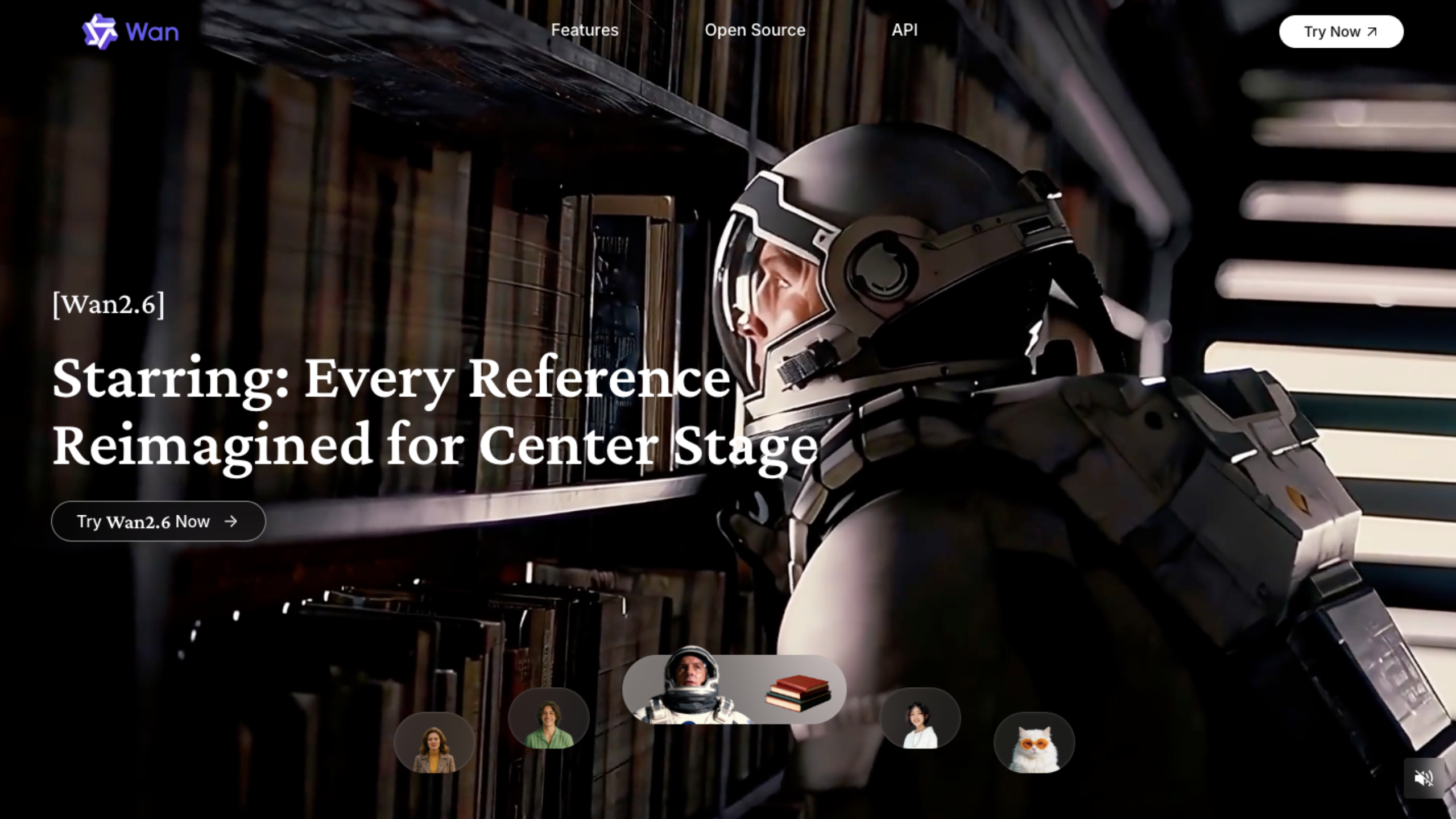
AI Compare Hub removes that friction. With more than 30 image models and more than 20 video models available in one place, creators can compare outputs and cost behavior across both image and video workflows without breaking their flow.
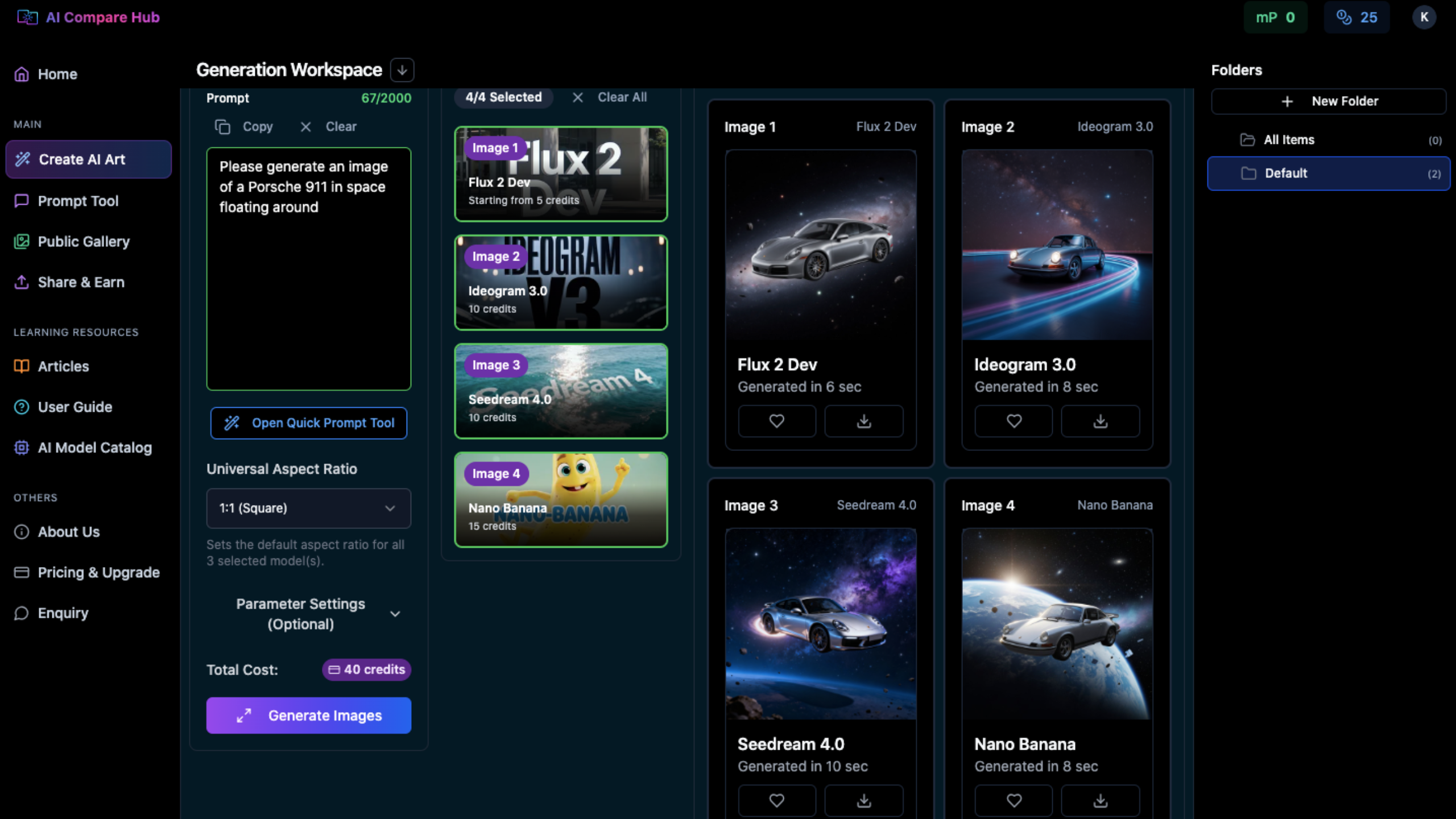
Model switching stops being trial and error and becomes a straightforward decision based on visible differences.
Making Smarter Choices in a Multi-Model Workflow
No single model does everything well. Some are fast but limited. Others produce great results but cost more than they're worth for everyday use. The real gains come from knowing when to switch tools, not from sticking with one out of habit.
For teams using image and video generation regularly, AI model comparison becomes part of the workflow. It helps avoid wasted spend, reduces trial-and-error, and leads to more consistent results over time. As the tools keep evolving, the ability to compare and adapt quickly matters more than chasing any single "best" model.
Take the Guesswork out of AI Model Selection
Instead of jumping between platforms or blindly rerunning prompts, AI Compare Hub lets you compare models, outputs, and costs in one place. It's designed for creators who care about consistency, efficiency, and real-world results.
Frequently Asked Questions
What is AI model comparison and why does it matter for image and video generation?
AI model comparison means testing and evaluating different AI models side by side to understand their strengths, weaknesses, and cost structures. It matters because no single model excels at every task. By comparing models, creators can choose the right tool for each stage of their workflow, improving output quality while reducing unnecessary spending on premium generations.
Which AI image generation models are best for ideation and drafting?
For ideation and drafting, cost-efficient models like Flux Dev 2 are the best starting point. They allow rapid iteration through dozens of prompt variations without significant cost. Once a direction is established, you can compare outputs from models like Flux 2 Pro, Seedream 4.5, and Nano Banana Pro to select the right aesthetic before committing to high-quality final generation.
When should I use image-to-video (I2V) instead of text-to-video (T2V)?
Image-to-video (I2V) is the better choice whenever visual consistency matters. Starting with a refined reference image gives the video model a stable foundation, which reduces character drift, preserves lighting and composition, and typically results in fewer failed generations. Text-to-video (T2V) is better suited for quick concept testing or early-stage exploration before a visual direction has been established.
How does switching AI models during a workflow reduce costs?
Tactical model switching reduces costs by matching the model to the stage of the workflow. Using cheap models like Flux Dev 2 or Wan 2.5 Fast for early exploration avoids spending premium compute on outputs that will be discarded. High-end models are then reserved for final production, where their quality advantage actually justifies the cost. This approach can eliminate significant wasted spend across both image and video generation.
What is AI Compare Hub and how does it help with multi-model workflows?
AI Compare Hub is a platform that brings together more than 30 image models and more than 20 video models in a single workspace. It allows creators to compare model outputs and costs side by side without switching between different tools or platforms. This makes AI model comparison faster and more practical, turning model selection from a guessing game into an informed decision based on visible differences.